
Disclosure: This article may contain affiliate links. If you sign up through our link, we may earn a commission at no extra cost to you.
Fees are one of the few variables you can control in crypto trading, and understanding them upfront can make a noticeable difference over time—especially if you trade often or in small sizes. This guide explains Binance Fee Discounts in a practical, non-hype way: what “discount” usually means, where it shows up, what to check before you open an account, and how to avoid common mistakes that accidentally increase your costs.
Important note: exact fee schedules, discount eligibility, and availability can change and can vary by region and product. Always confirm details inside Binance’s official fee pages and your account dashboard after logging in.

Understand where Binance fees come from (so discounts make sense)
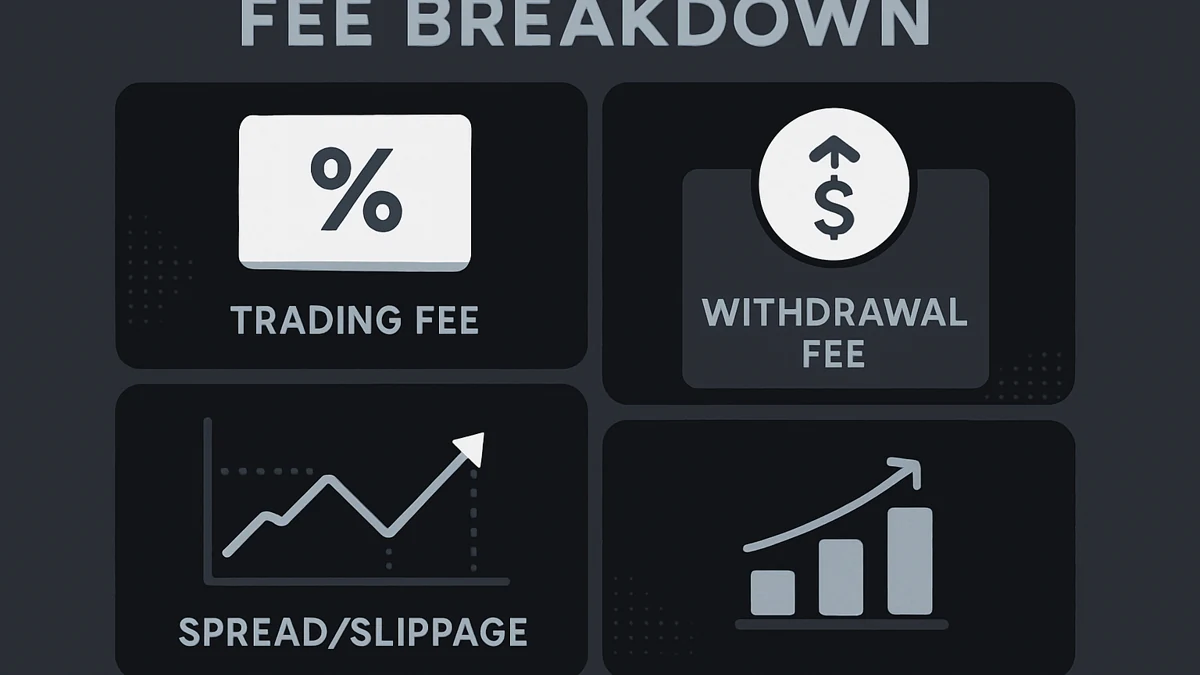
Before chasing any discount, it helps to know which fees you’re actually paying. On Binance, fees can differ based on product and action. Common categories include:
- Trading fees: paid when you buy/sell on markets (often different for spot vs other products). These are typically the main place discounts apply.
- Deposit and withdrawal fees: crypto withdrawals usually have network-related fees; deposits are often free but can depend on method. Discounts may not apply here in the same way as trading fees.
- Conversion/spread costs: if you use instant convert-style tools, your cost may be embedded in the rate rather than shown as a line-item fee.
- Funding/other product fees: some products (like derivatives) can have their own fee structures and funding mechanics.
If your goal is to save money, start by deciding what you’ll actually do on the platform (occasional buys, frequent trading, recurring purchases, withdrawals to a wallet). The “best” fee strategy depends on your behavior.
Binance Fee Discounts when signing up: what to check first
When people say Binance Fee Discounts “at signup,” they usually mean potential reductions tied to the way the account is created or configured—most commonly via a referral link and then by enabling the relevant fee-payment settings once logged in.
1) Use a referral link (and verify it attached correctly)
A referral link may associate your new account with a referrer. If Binance is offering any fee-related benefit through that referral relationship, it typically only applies if:
- you sign up through the link (not after you already created an account), and
- your account shows the referral relationship in your profile/referral section.
Because terms can change, the key practical step is to verify inside your account that the referral is recorded and that any fee program/discount (if available) is reflected where Binance displays it.
2) Complete account readiness steps early (KYC and identity info)
Even if a referral is attached, you may not be able to use certain features until verification steps are completed. To avoid interruptions (and rushed decisions later), prepare for:
- Identity verification (KYC): have valid ID, matching personal details, and a stable internet connection for uploads/selfie checks.
- Address and name consistency: small mismatches can slow approval.
- Device hygiene: update your phone OS/browser and avoid public Wi‑Fi for sensitive steps.
3) Check regional availability and product access
Not every Binance product is available in every location, and fee structures can vary by region and product type. Before you plan around a discount strategy, confirm:
- which Binance entity/app applies to your region,
- which products you can access (spot, conversion tools, other products), and
- the fee table shown for your account.
Practical ways to lower your fees after account creation
Signup is only one part. Many fee savings come from ongoing settings and habits. Below are practical, generally applicable steps to review in your account.
Enable fee-payment options (where supported) and confirm the toggle
Exchanges sometimes allow you to pay trading fees using a specific asset or internal mechanism in exchange for a lower effective rate. If Binance offers this in your region/product:
- find the fee settings in your profile/trading settings,
- enable the option (if you want it), and
- place a small test trade to confirm the fee charged matches what you expect.
Don’t assume the toggle is on by default. Also don’t enable something you don’t understand—if you pay fees in a different asset, you’ll need to hold enough of it, and that asset’s price can fluctuate.
Use order types intentionally (market vs limit)
Even when the headline fee rate is the same, your execution price can change your real cost. Consider:
- Market orders: prioritize immediate execution but can suffer slippage in fast markets.
- Limit orders: prioritize price control; may not fill immediately (or at all).
For many users, using limit orders where appropriate is a simple “fee-adjacent” way to control total trading cost (fees + slippage). This won’t fit every scenario, but it’s worth learning.
Reduce “extra” trades and consolidate actions
Overtrading is a common fee leak. Practical habits that can reduce unnecessary costs:
- plan entries/exits before you place trades,
- avoid frequent small conversions that could embed wider spreads,
- batch withdrawals rather than withdrawing repeatedly (while staying within your risk comfort).
Helpful step if you want to set everything up in one go: you can start your account creation here and then immediately review fee settings and security options in your dashboard: https://www.binance.com/join?ref=MAXUP.

Security setup that supports fee savings (by preventing costly mistakes)
Security isn’t a “discount,” but it can prevent the most expensive outcome: unauthorized access or irreversible transfers. A secure setup also reduces the chance you’ll get locked out mid-withdrawal or during a time-sensitive trade.
Do these security steps before depositing meaningful funds
- Enable two-factor authentication (2FA) using an authenticator app where possible.
- Use a unique password stored in a reputable password manager.
- Anti-phishing code: if available, set it so legitimate emails are easier to verify.
- Withdrawal protections: review whitelists/locks if offered; understand the trade-off (more security vs less flexibility).
Double-check networks on withdrawals
Crypto withdrawals can fail or be unrecoverable if you select the wrong network or send to an incompatible address. This is a common source of “hidden cost” (lost funds or extra time). Best practices:
- match the asset and network on both ends (exchange and receiving wallet),
- send a small test transaction first when trying a new route,
- account for network fees and confirmation times.
How to verify your discount and effective fees (without guessing)
The most reliable way to confirm you’re actually receiving any fee benefit is to verify it in-platform and with your own trade history.
Checklist to confirm what you’re paying
- Check the fee schedule page visible to your logged-in account for the product you use (spot vs other).
- Review referral status: confirm the referral relationship is active (if applicable).
- Check fee settings: confirm any fee-payment toggle is enabled (if you intended it).
- Inspect a completed order: open the order/trade details and note the fee asset and amount.
- Track your “all-in” cost: include fees plus slippage and spread effects.
If the numbers don’t match what you expected, pause and troubleshoot before increasing trade size. Common causes include using a different product than you intended (convert tool vs spot market), missing a settings toggle, or interpreting a promotional message incorrectly.
FAQ
Do Binance Fee Discounts apply automatically when I sign up?
Not always. Some savings may depend on signing up through a referral link, enabling a fee setting in your account, or using specific products. Verify in your account and confirm by reviewing an executed trade.
Can I add a referral code after creating my account?
Often, referral attribution needs to happen at signup. If you already created an account, check Binance’s referral section or support resources to see what’s possible for your region and account type.
Are lower trading fees the only cost I should consider?
No. Your real cost includes trading fees plus spreads/slippage (especially with market orders) and withdrawal/network fees. Picking the right order type and planning transfers can matter as much as a small fee reduction.
Will paying fees with a specific asset always save money?
It can reduce the fee rate in some setups, but it also means you must hold that asset and accept its price fluctuations. It’s worth enabling only if you understand how fees are charged and can monitor balances.
Where can I see what fee I paid on a trade?
In your order or trade history. Open a filled order and look for the fee line item, including the fee amount and which asset it was paid in.
Conclusion: use Binance Fee Discounts carefully and verify the details
Binance Fee Discounts can be real and useful, but the safest approach is methodical: understand which fees apply to your activity, confirm referral and settings inside your account, and verify results with a small test trade before scaling up. Just as important, take security and withdrawal/network checks seriously—preventing one mistake can outweigh months of small fee savings.
If you decide Binance fits your needs and is available in your region, you can create an account and then review your fee settings and security options right away using this link: https://www.binance.com/join?ref=MAXUP
This content is for educational purposes only and is not financial advice. Crypto trading involves risk, including the possible loss of funds.
